Java OOP – Java Swing Applications(Introduction)
August 27, 2020 1 min read
Swing in java used for creating window based applications. It includes components like button, scroll bar, text field etc. Putting together all these components makes a graphical user interface. Java Swing Applications can be divided into four major parts.
- Containers
- Controls
- Layout Manager
- Event Handling
Containers
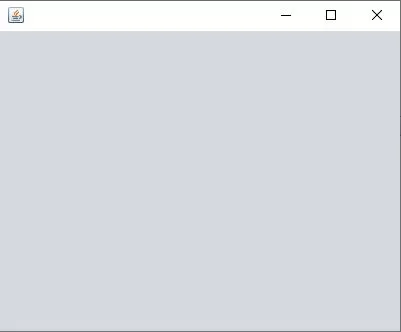
The window that user interacts in any GUI software is called a container. For building GUI applications at least one container class is necessary.
Example: JFrame, JPanel, JDialog
Controls
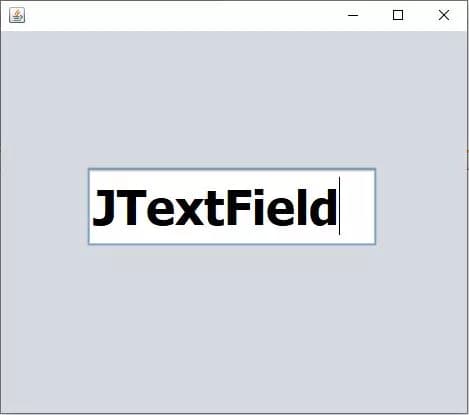
The object that user interacts in any GUI software is called a control. It is available inside the container. This is a graphical representation.
Example: JButton, JTextField, JMenu
Layout Manager
The mechanism of arranging swing controls by adding controls to a container is called layout manager.
Example: Grid layout, Border layout, Flow layout
Event Handling
The codes we give to run the container after we adding the controls to the containers are known as event handling.
Example:
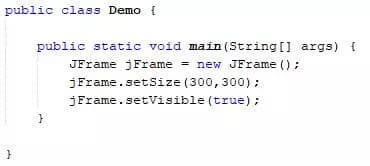
Here it will create a JFrame form with the size of dimensions (300,300) and when running it will be visible because of the code “setVisible(true)”.
Difference between AWT and Swing are:
AWT is Java’s original platform dependent windowing, graphics and user interface widget toolkit preceding Swing. Those are heavyweight. But swing is a GUI widget toolkit for Java which is a part of Oracle’s Java Foundation Class (JFC). Those are lightweight.
Let’s discuss more about these four major aspects of Swing applications one by one from the next articles with the examples of codes step by step.
Thank you.