Part 6 – Java Literals
July 22, 2020 1 min read
Hi guys, today we are going to learn about Java Literals. Hope you all understood about data representation from the last article. Let’s go to the today’s topic.
Java Literals
1. Integer Literals
Let’s start with a program.
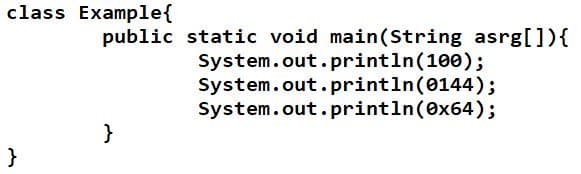
Integer literals can convert into decimal, octal and also hexadecimal.
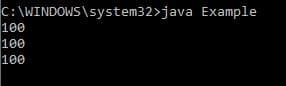
Here 100 is in decimal in the first line of the printing command. In next 2 lines also 100 will come for the output because 100 is in octal (0144) and in hexadecimal (0x64).
MAX. of int is 0x7F and MAX. of short is 0x7FFF.
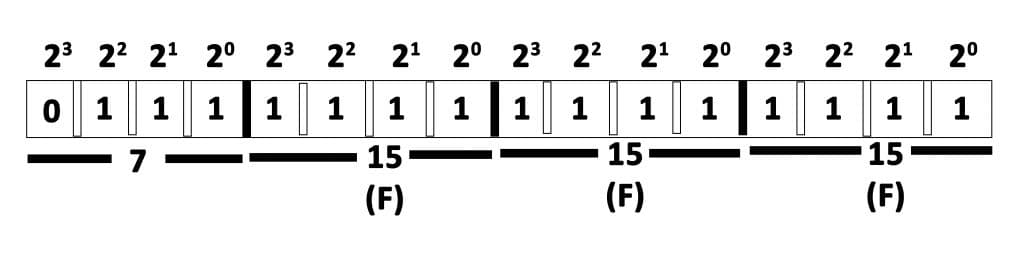
Short is in 16 bits. So it should be divided into 4 parts as shown.
2. Floating Literals
In Floating points decimal is default because it has double also. Therefore if we want to take a value as float, we should put “f” at the end of the value.
l/L – long , f/F- float, d/D – double
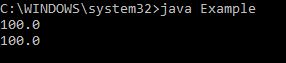
See the below example.
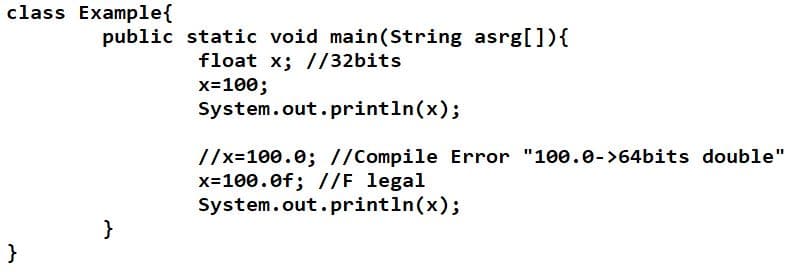
Output is :
3. Character Literals
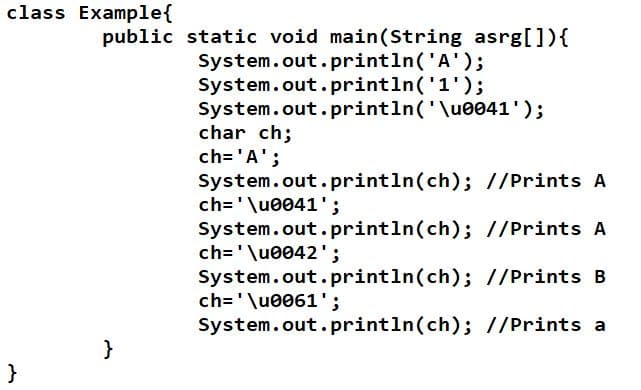
A Character can write as,
ch = ‘A’ or ch = ‘\u0041’
Here “\u0041′ is called unicode character. It is written in hexadecimal. For this we use ascii code. In above example 41 is the ascii code. Also there should be 4 digits for a unicode character.
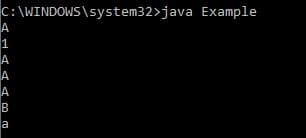
Output is:
4. Boolean Literals
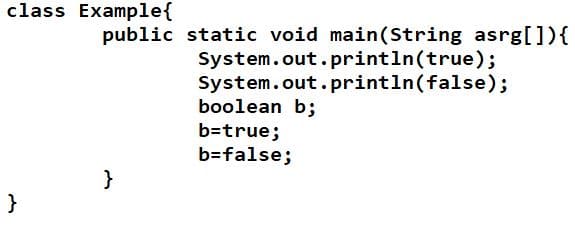
In boolean literals you can only see the values as “true” or “false”.
Hope you guys understood about the Java Literals. See you in the next article with the topics Reserve words vs Key words, Identifiers and Java Comments.
Thank you.