Part 16 – Java Arrays (Declaration)
August 1, 2020 3 min read
An array is a collection of variables from the same type. Arrays are using for multiple purposes. There are several types of cases we can see in an array declaration. Let’s see what are those with simple examples.
Case I
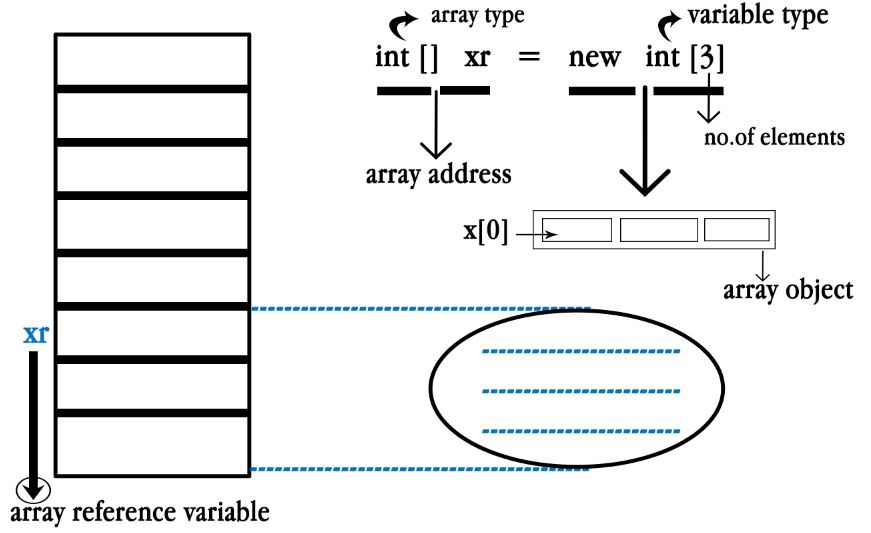
There are 2 steps to make an array. Array address is making from the array object. Also array address stores from the array reference. In array type we don’t put no.of elements.
Example:
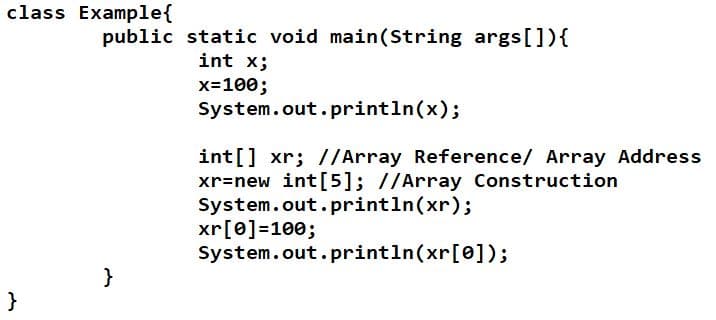
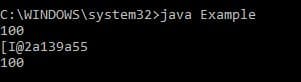
Here in the 3rd line of printing command, There commanded to print the value of “xr”. But “xr” is the array address. So the value of address will print in the console. Let’s see the output.
Case II
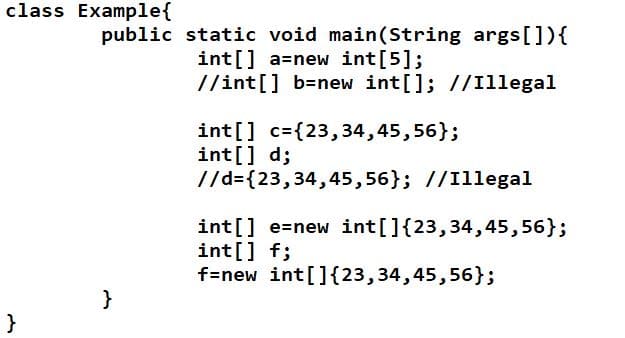
We can make arrays in 3 different ways as shown in the example given below.
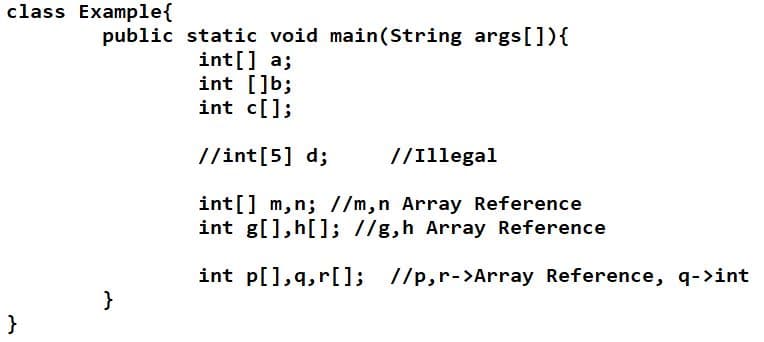
Here line “int[5] d” is illegal because we can’t put elements in to a array type. There is no output coming because no command to print.
Case III
We can give values within brackets to an array reference, according the no.of elements given in the array. That is called memory allocating to an array object. See the example given below.
Case IV
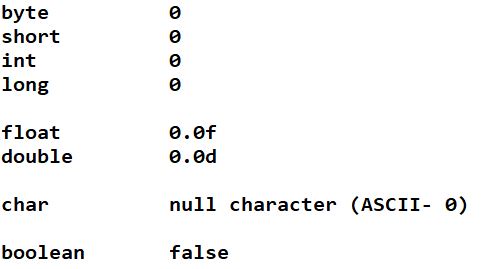
From the elements given to the array object, Variables initialize automatically. That is because data types have default values.
Let’s go to an example.
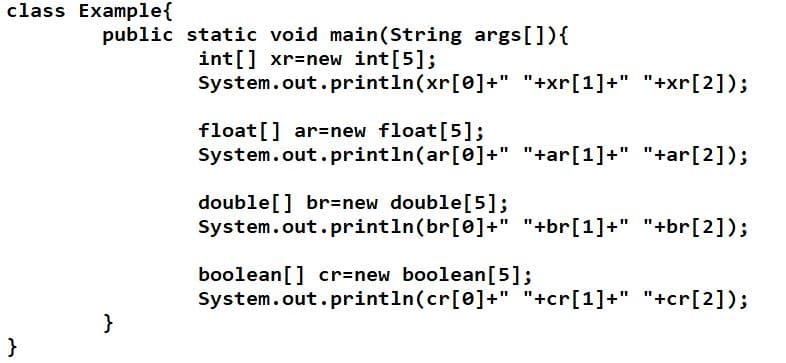
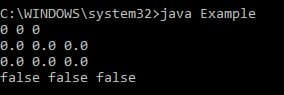
There are no values given for the elements of the array objects. So they will print the default values as shown below.
Case V (Length of an array)
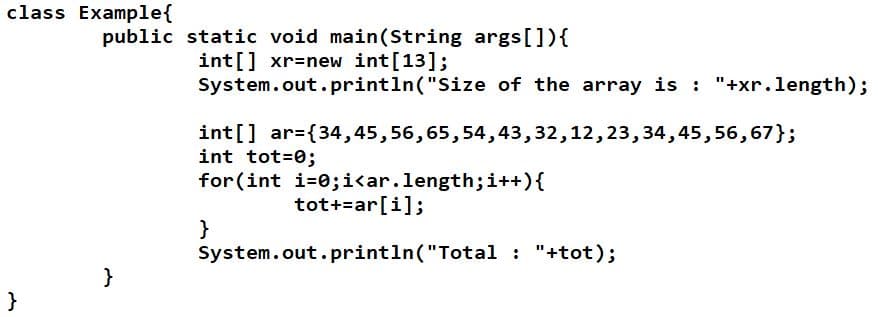
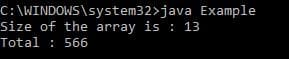
“length” is a pre-defined word. We can write code lines or the statements by the word “length” with the variable to get the no.of elements of an array.
Output:
Case VI
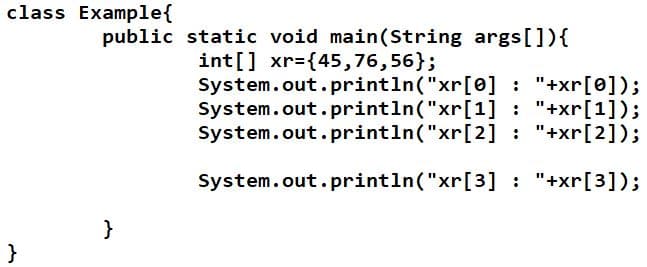
If we use an index out of the order of an array, it will give a runtime error. It is called “Array index out of bound Exception”.
Output:

Case VII
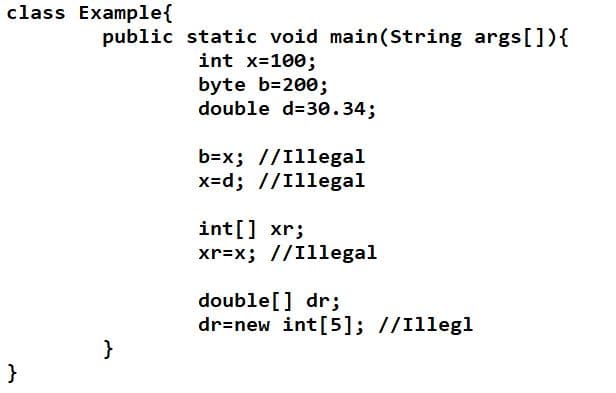
Both the variable of the array address and the variable that we initialize should be compatible. Also the data type of the array object and the data type of the array address also should be in the same type.
Case VIII (String arrays)
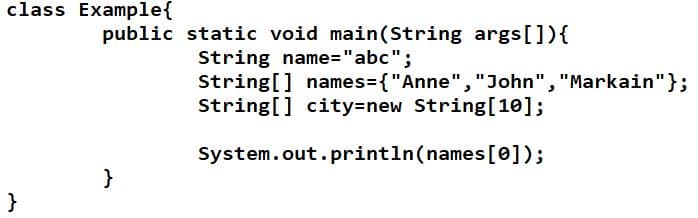
If the type of array is String, we can give the values for the elements in String type within the double quotation marks.
Case IX (Command line argument)
When you want to print the elements of an array object, first you should compile the program and before run it you should give arguments in the console according to the no. of elements. Otherwise it will gives a runtime error.
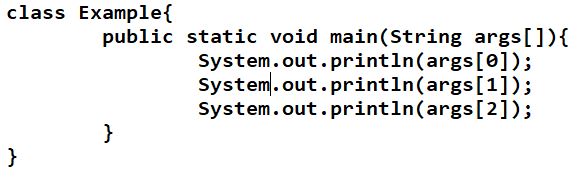
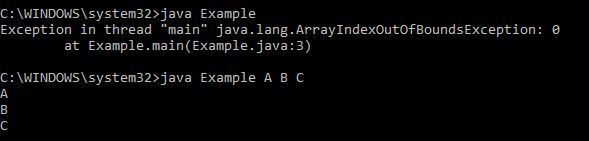
Here in the first output you can see the error came without the values. In the next output you can see “A” “B” “C” values were input. Therefore no error.
Case X
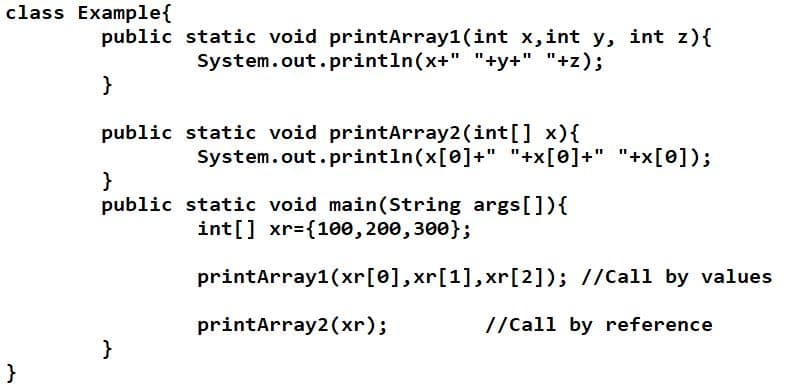
We can pass an array into a method. But when you pass the arguments, the no. of parameters of the method and the no.of elements of the array should be same. Also we can give an array as the parameter of a method.
Case XI
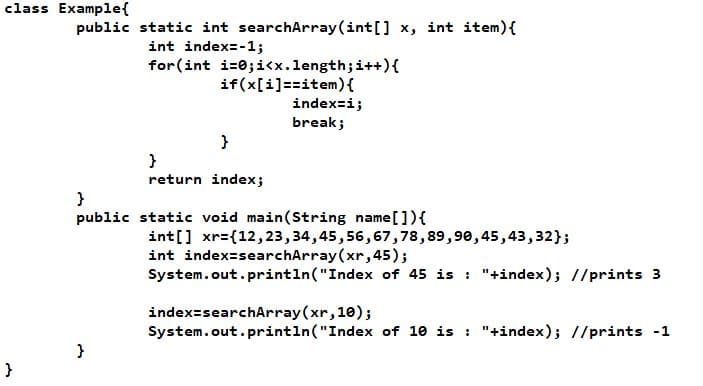
We can give an array and also another variable with the same data types for the parameters of a method. And we can find an index of a given item as shown in the below given example.
Case XII – Array Sorting(Bubble Sort)
From array sorting we can sort the elements of a given array. From Bubble sorting we can change the places of one or more elements.
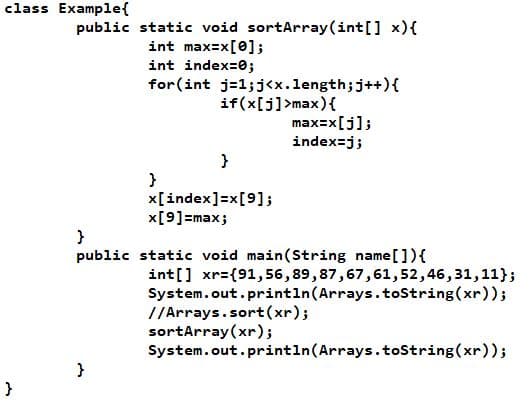
Case XIII – Array Sorting (Selection Sort)
From Selection Sort we can arrange the elements to an order (eg: from Maximum to minimum) of an array.
Array Declaration is finished now. Let’s learn about the “2D arrays” from the next article under the topic “java arrays”.
Thank you.