Part 4 – Java Define Data Types
July 16, 2020 2 min read
Welcome back to the java tutorial. I think you all remember the previous sessions we talked about. In part 3 we discussed about the differences between data and information and also about keyboard inputs.
Today we are going to talk about the java define data types. It is a little bit important topic.
| Type | Size | |
| Integers – Byte Short int long | 8 bits 16 bits 32 bits 64 bits | -128 to 127 (-27 to 27-1) -215 to 215 –1 -231 to 231 –1 -263 to 263 – 1 |
| Floating points – Float Double | 32 bits 64 bits | |
| Character – Char | 16 bits | 0 to 216-1 |
| Logical Data | 1 bit |
Above given table Explain the types of data and their sizes. Let’s understand about them by the following examples of codes.
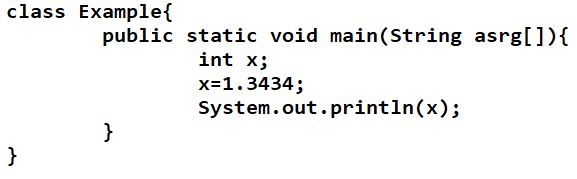
Here when you compile the code, you can see the compile time error as shown below.

This error is coming because double(floating point) value is assigned to the integer variable x. Values for any type of data should assign to the variables that initialized by the same data type. Look at the code given below. Then you can understand easily.
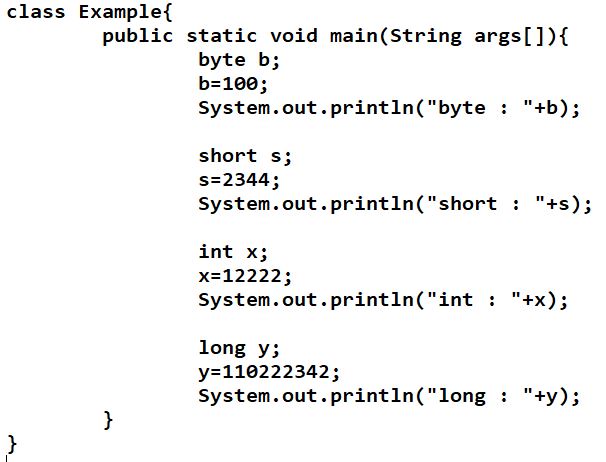
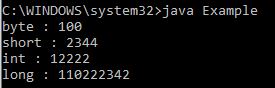
There is no compile time error or runtime error. Output will come like this.
But look at the code given below. There you will see a different output when compile the code.
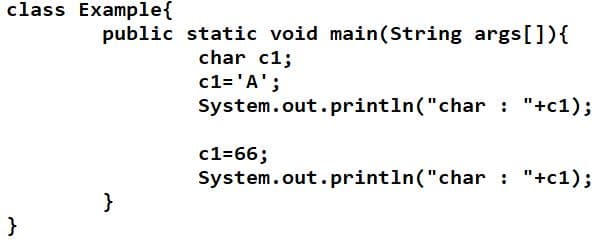
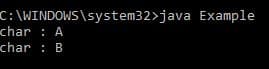
Why it is printed as B as the output for the value of variable c1? It is because for any of the character value, there is a code named “ascii code”. Ascii code of B is 66. Let’s discuss about the Ascii codes in next article.
In next code you can see different types of values assigned for the variables.
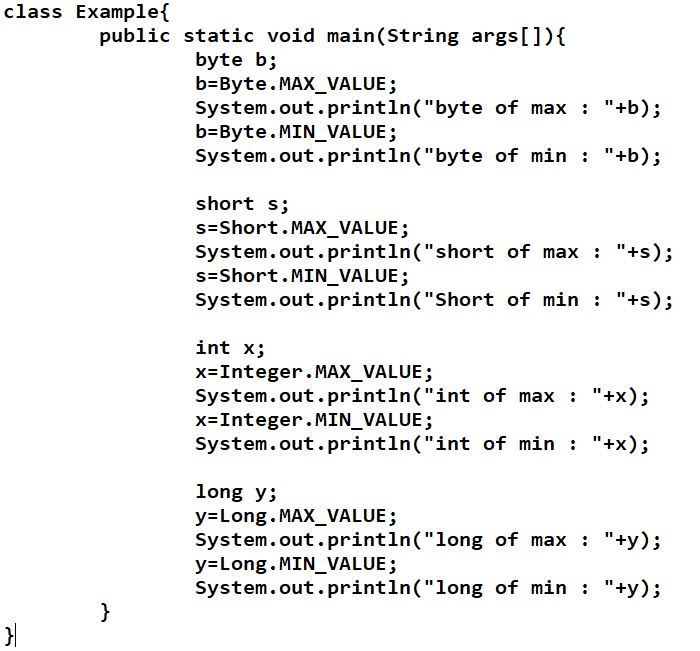
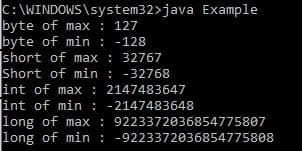
There you can see MAX_VALUE and MIN_VALUE. From those values you can get maximum and minimum values for the any data type. Look at the output. Then you can see how they printed those values.
If you have any doubt, you can comment below.
In next article will discuss about the Data representation in computer memory.
Thank you.