Part 9 – Java Flow Control “if”, “if/else” and “if/else if”
July 25, 2020 1 min read
Hello guys, Last time we discussed about the conversion and casting. Today we are going to talk about Java flow control “if”,”if/else” and “if/else if”.
Java flow control “if”
When we want to execute a java code, if the condition is true, we use “if” statement to specify that block/statement of java code.
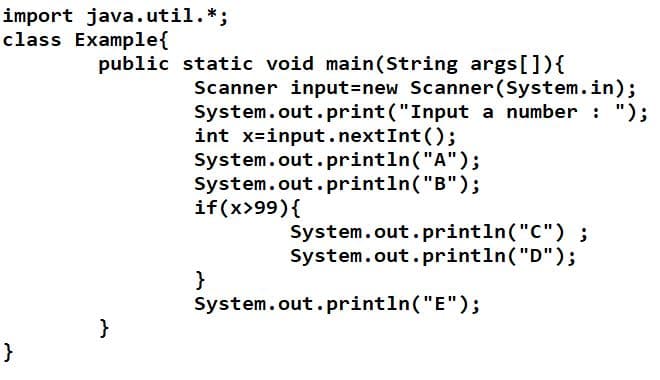
Let’s see an example.
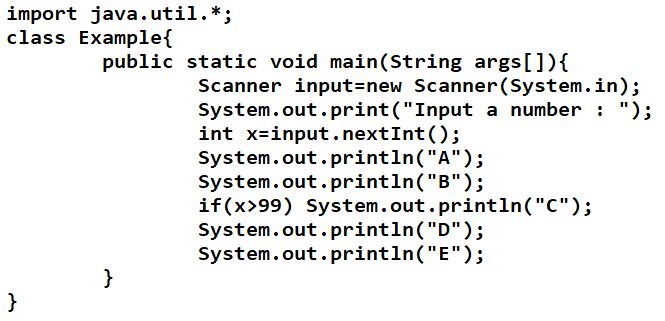
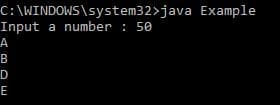
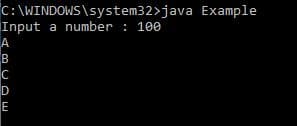
Here you can see we used “if” statement. That command says if x is greater than 99, then “C” should be printed. Compiler execute if condition to that code line only. Other code lines ignore the “if” statement. See the outputs below.
If we input 50,
If we input 100,
When you want to execute a block of java code, you should use curly brackets ({}) with “if”.
Java flow control “if/else”
When we want to execute a java code, if the condition is false or if you want to use 2 “if” s, we use “else” to specify that block of java code.
Let’s see an example.
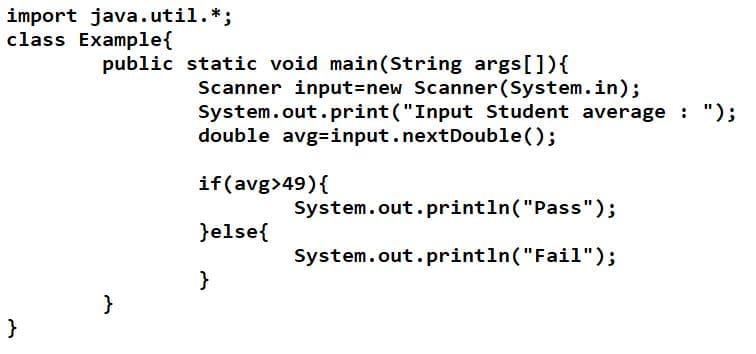
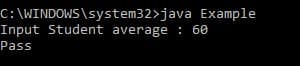
Here the “if” statement says if the average we input is greater than 49, it should be printed as “Pass”. And “else” statement says if the average we input is less than 49, it should be printed as “Fail”.
Java flow control “if/else if”
When we want to execute a new condition of java code, if the first condition is false, we use “else” with “if” to specify that block of java code.
Let’s see an example.
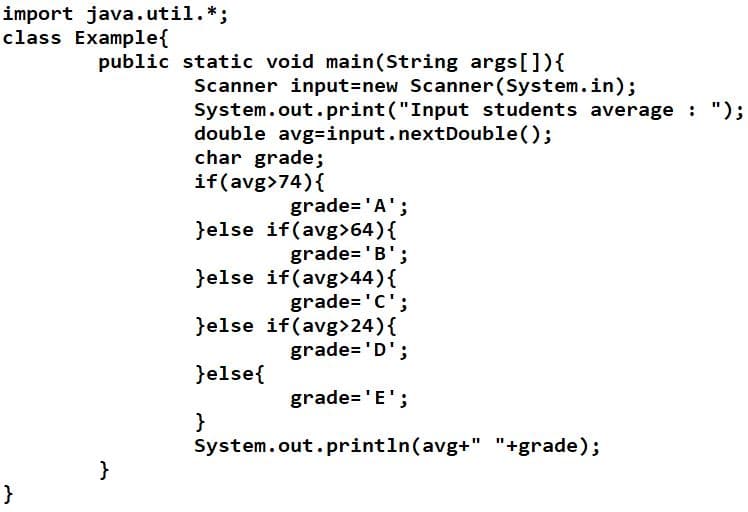
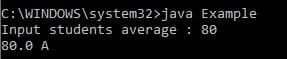
Here in the first line of “if” statement says that the average we input is greater than 74, the grade should be “A”. In next line says that If the average we input is greater than 64, the grade should be “B”. There we used “else if” to specify the code. Like that for the next 2 lines also we used “else if”.
We successfully finished the lesson Java flow control of “if”, “if/else” and “if/else if”. Let’s meet with the next article Java Operators.
Thank you.